Type "app for goal setting" into a store search and the results look identical: a grid of checklist apps with slightly different color schemes, all promising to help you finally do the thing. Install three of them and the sameness mostly holds, which makes the actual differences easy to miss under all that surface agreement. Call it a goal setting app, a goal tracker or a goal planner and the shelf barely changes.
There are at least three different jobs hiding under that one search phrase, and the strongest app for each looks nothing like the strongest app for the other two. Here is the standout for each job, checked against where each product actually stands today, and the one job all three of them skip.
Watching a number move: Strides
Best for: a goal with a specific number underneath it, tracked several different ways.
Strides is built around four tracker types rather than one: a plain Habit toggle for yes-or-no days, a numeric Target for anything with a count, an Average for a metric that only means something over a stretch of time, and a Project for a goal that is really a checklist of milestones. That range is the actual selling point. A goal that is "run three times a week" and a goal that is "finish the six-chapter draft" are different shapes, and most trackers force both into the same box.
It also builds in a SMART-goal template as a three-step setup rather than leaving specificity to you, and it lets you share a tracker with someone else so progress is visible to more than just you, which is one version of the accountability the app category is usually missing. The honest limitation: it is an iOS app today, with Android still on a waitlist, so half of everyone searching for this will not be able to install it.
Seeing how it fits your whole life: Griply
Best for: a goal you do not want floating disconnected from everything else you are trying to do.
Griply's structure is the pitch: Vision at the top, then Life Areas (career, health, finances and so on), then Goal Plans inside those areas broken into measurable Subgoals, then the ordinary tasks and habits that actually fill a week, all pointed back up the chain at the vision they serve. Most goal apps bolt a goal onto a task list. Griply builds the task list underneath the goal instead, which is a genuinely different starting point.
It also takes plain-language task entry, so "run 5 miles tomorrow at 8am" gets parsed and filed under the right life area without much setup, and it ships home-screen widgets so the goal is visible without opening the app. The tradeoff of a hierarchy this deep is the one every hierarchy has: it is more structure to maintain than a flat list, and it rewards someone who wants the whole system mapped out over someone who wants to log one thing and move on.
Getting the time on the calendar: Reclaim.ai
Best for: a goal that keeps losing to whatever is more urgent that day.
Reclaim is not a tracker at all. It is an AI scheduling layer over Google or Outlook calendars that automatically defends a weekly block of Focus Time, reschedules it around real meetings as they land, and treats a recurring habit as a flexible commitment that finds its own slot rather than a fixed line that breaks the first time something else needs the hour. That is a different problem from the one Strides and Griply solve. Neither of them puts the hour on your actual calendar; both assume you already have one.
The plan itself should stay short, and Reclaim's job is making sure the short plan gets a real slot instead of staying an intention. It carries a free tier for individuals, with paid tiers adding a longer scheduling range and team features, so the core habit- and focus-time defense is available before any payment is involved.
The job none of the three do
All three wait for you to open them. None of them says anything when you stop.
That is not a criticism specific to these apps. It is the structural feature of the whole tracker category: a Strides target, a Griply subgoal and a Reclaim habit block all sit exactly where you left them until you come back and interact with them again. A goal that has gone quiet produces no signal in any of the three, because producing that signal was never what they were built to do.
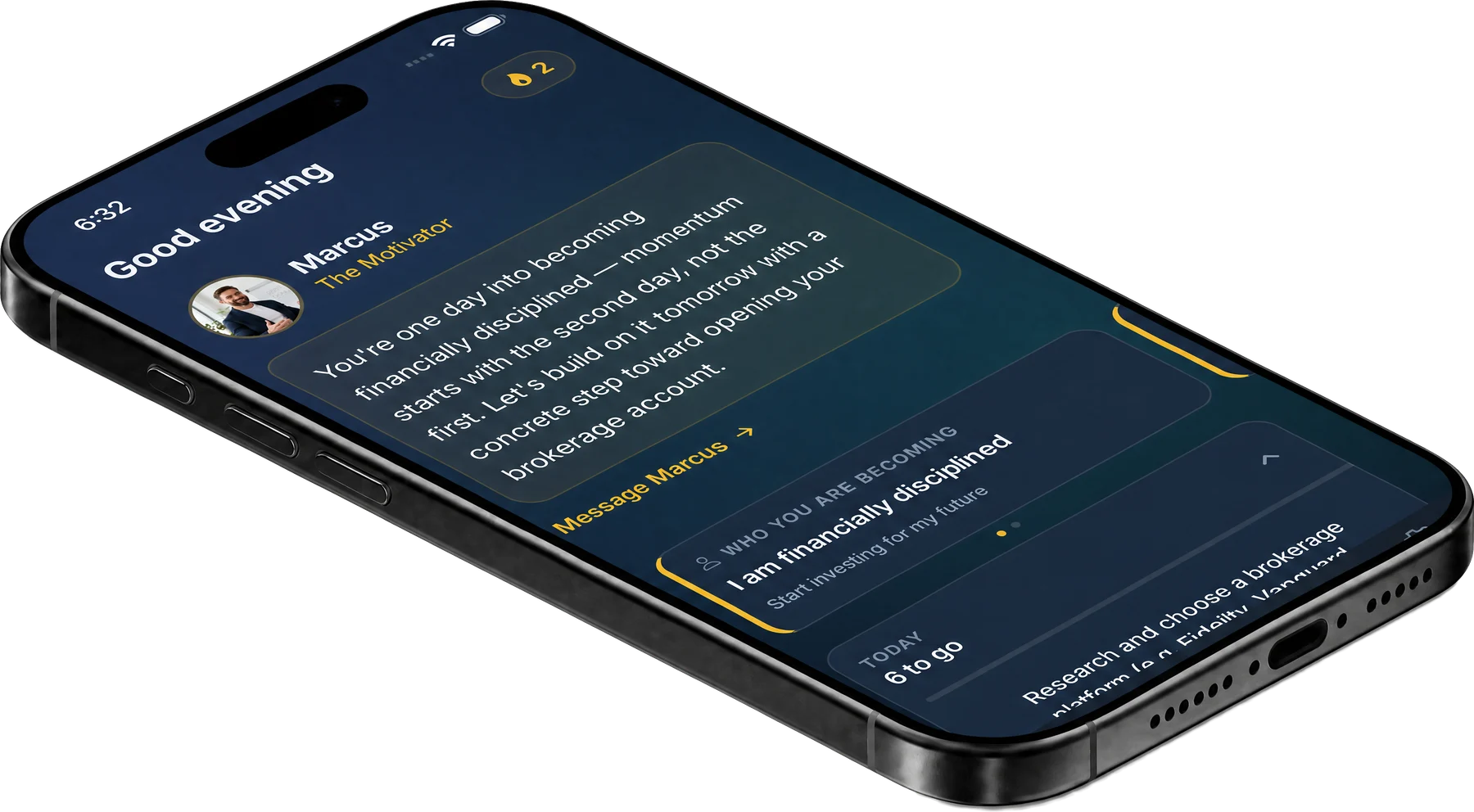
Worth knowing: we build Odyssey, an AI coaching app, so weigh that. What it adds is not a better tracker: it is a coach that reaches out on the rhythm you set, with a check-in that asks how the specific thing went rather than a dashboard that shows a number until you look at it. Whether that follow-through is worth it over a tracker depends on which of the four jobs above was actually the one going unmet.
Goal tracker, goal planner, goal setting app: the names point at the jobs
The label you searched is a decent clue to which of the three jobs you actually have.
The store uses these names loosely, and so do most roundups, but people reach for them at different moments. Someone searching for a goal tracker app usually already has the goal and wants to watch it move, which is the first job and the one Strides is built around. Someone searching for a goal planner app usually has the opposite problem: several goals competing for the same year and no picture of how they fit, which is the second job and where Griply's hierarchy earns its setup time.
"Goal setting app" is the broadest of the three and the most misleading, because the setting is the part an app helps with least. Writing a goal down takes a minute in any notes app. What decides whether it survives is everything after that minute: whether the hour for it exists, which is the third job, and whether anything asks about it once the first good week is over, which is the job none of the three are built for.
So before comparing apps, it is worth being honest about which word you typed and why. A tracker will not fix a missing hour, a planner will not fix a goal nobody asks about, and a goal that has never been written down properly will not be fixed by any of them.
How to choose, once you know the job
Name the job before you compare apps, the same rule that applies to the wider self improvement shelf.
- If the goal has a clean number under it, a run count, a page count, a weight, Strides is built for exactly that and nothing more elaborate.
- If the goal is one piece of a bigger picture you want to see all at once, Griply's vision-to-task hierarchy is worth the extra setup.
- If the honest problem is that the hour never actually arrives, Reclaim solves the calendar rather than the tracking, and it is the right fix when the plan is fine and the slot keeps getting taken.
- If the goal keeps going quiet between good intentions, that is a follow-through problem rather than a tracking problem, and it wants a different kind of app entirely.
Install one, not three. A goal-setting app used to sort a decision beats three left half-configured, and the same two-week test applies here: if it has not earned a daily or weekly place in a fortnight, the job was misdiagnosed, not the app.
The shelf, in five lines
- Strides: a number tracked several honest ways, iOS only today
- Griply: the goal as the center of the system, vision down to tasks
- Reclaim.ai: gets the hour onto your actual calendar, not just the plan
- All three wait for you to open them, which is the one job none of them do
- Name the job first, install one, run it two weeks before judging it
Common questions
What is the best free app for goal setting?
Reclaim's free tier covers real ground: automatic Focus Time defense and habit scheduling on your actual calendar, with no payment required to use the core mechanic. Strides and Griply both offer entry points as well; the honest answer depends on which of the three jobs above you actually have.
What is the difference between a goal tracker app and a goal planner app?
A goal tracker holds one target and shows it moving: a count, a run of sessions, a number against a deadline. A goal planner holds several goals at once and shows how they fit together, usually as a hierarchy from a broad aim down to the tasks underneath it. If you have one goal and keep losing sight of progress, you want a tracker. If you have five goals and keep losing sight of which one matters this month, you want a planner.
Is a goal-setting app different from a habit tracker?
Related, and usually narrower. A habit tracker like Streaks or Habitica is built around a recurring yes-or-no action repeated on a schedule. A goal-setting app more often holds a target with an end state, a deadline, or a hierarchy of subgoals underneath it, which is a different shape of data even when the daily interaction looks similar.
Can I use more than one of these together?
You can, and the honest question is whether the combination actually gets used. Reclaim solving the calendar problem while Strides tracks the number is a coherent combination; running Griply's whole hierarchy alongside a second tracker is usually more system than one goal needs. Add the second app only once the first one has actually earned its place.
Does a goal-setting app help with follow-through?
Indirectly, and only as far as visibility goes. Seeing a stalled target sit red in Strides or a subgoal go quiet in Griply is useful information, but none of the three apps does anything with that information on its own; you have to notice it and act. What follow-through actually looks like as a built-in mechanism is a different category of product, coaching rather than tracking.
Do these apps replace writing the goal down properly first?
No, and skipping that step is the most common reason any of them gets abandoned in week two. Testing the outcome and the honest starting point before the tracking begins is the part that makes whichever app you pick worth maintaining.
The takeaway
"App for goal setting" is not one product category with one winner. It is three different jobs, tracking a number, seeing the whole picture, and getting an actual slot on the calendar, plus a fourth job none of the three touch: noticing when the goal has gone quiet and doing something about it. Name the job you actually have before you compare apps against each other.
One thing to do today. Write down the one goal you would install an app for right now, then name which of the three jobs above is actually the missing piece: the number, the picture, or the hour. Install exactly one app for that job and set up the first entry. Ten minutes, and the folder stays honest instead of growing.